















Think your private photos and personal text messages are safe inside your iPhone? Think again. Apple is about to drop a massive bombshell with its upcoming iOS 27 update, and it has sent shockwaves through privacy groups across the globe.
For years, we’ve been told that what happens on your iPhone stays on your iPhone. But a stunning new leak published on May 17, 2026, reveals that Apple is about to unleash a hyper-aggressive AI feature that actively scans everything you type and—more alarmingly—every single photo stored in your personal camera roll.
It’s called the new Genmoji system, and while Apple is marketing it as a fun, innocent way to create custom emojis, the underlying technology is incredibly invasive. If you value your digital privacy, you need to know exactly how this feature operates before you download the update. Is this a fun leap forward in AI customization, or is it the ultimate digital surveillance tool disguised as a cute emoji? Let’s dive into the terrifying truth Apple doesn’t want you to focus on.
The Secret Scanner: How Genmoji Invades Your Camera Roll
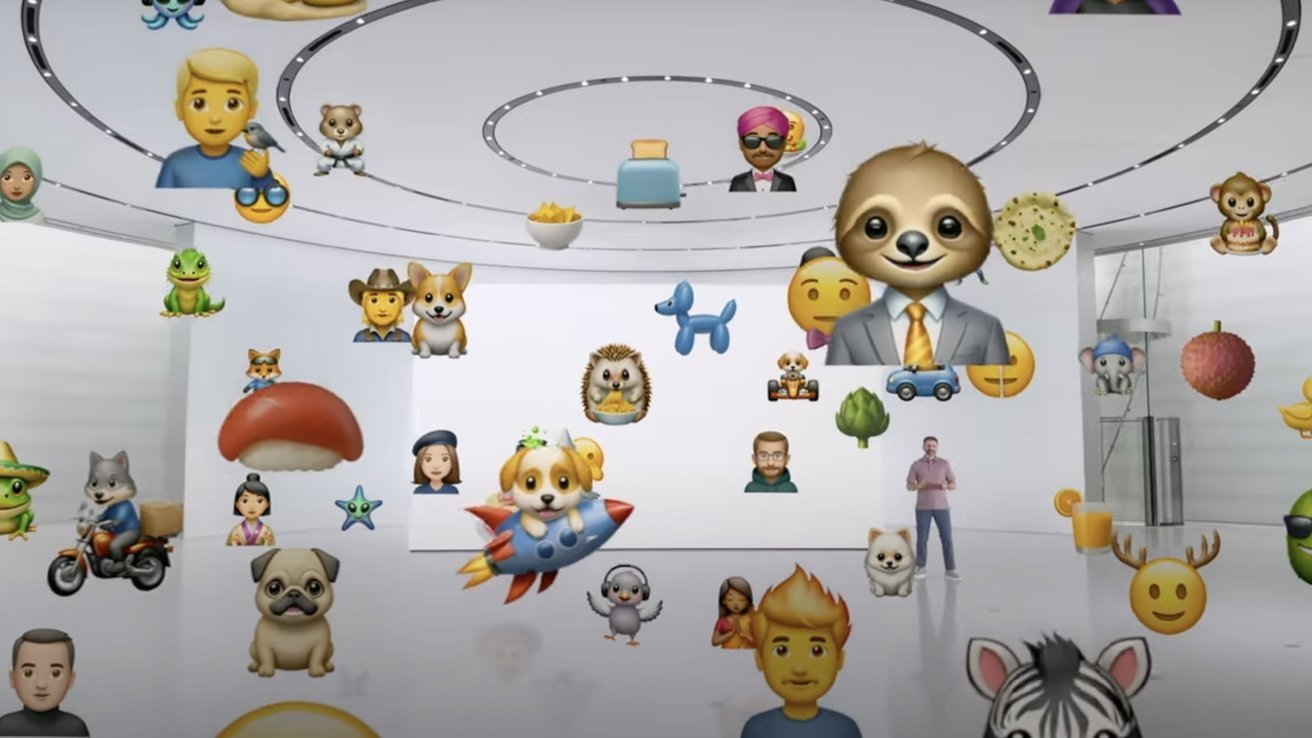
We all know Genmoji as the cool Apple Intelligence feature that lets you generate completely unique, custom emojis on the fly. Want an emoji of a cat wearing a space helmet eating a slice of pizza? Boom—the AI creates it instantly. It sounds harmless, right?
Wrong. According to deep technical leaks regarding iOS 27, the system is getting a massive, unsettling upgrade.
To give you “instant suggestions,” the new Genmoji engine will constantly run in the background, actively parsing what you type in real-time and cross-referencing it with the contents of your Photos app. The AI will scan your private images, analyze faces, detect objects, memorize locations, and interpret the emotional context of your personal pictures.
Imagine typing a message to a friend saying, “Remember that crazy night out?” and your keyboard instantly generates a Genmoji that perfectly replicates the facial expressions, outfits, and background settings of a private photo you took three years ago. It means the system isn’t just generating random clip art anymore—it is actively studying your life history to commodify your memories into text symbols.
The Context Nightmare: Read Receipts on Your Entire Life
The real danger of this iOS 27 upgrade lies in how it connects your typing habits to your visual data. Previously, Apple’s on-device scanning was compartmentalized. Your photos stayed in the Photos app, and your keyboard stayed in the Messages app. The two rarely spoke to each other in an active, predictive way.
With iOS 27, that wall is officially torn down. The Genmoji AI bridges the gap completely.
If you type about a specific vacation, a medical issue, a secret relationship, or a private business meeting, the AI will immediately scour your photo library to find matching context. It creates a deeply intimate psychological profile of your daily life just to suggest a cartoon face. Security experts warn that while this processing happens on-device via Apple Foundation Models, the sheer fact that an AI is constantly mapping your language to your private imagery creates an unprecedented honeypot of personal data sitting right in your pocket.
Is Your Current iPhone Powerful Enough, or Are You Being Forced to Upgrade?
As with every massive Apple Intelligence push in 2026, there is a massive corporate catch. Constantly scanning thousands of high-resolution photos while simultaneously monitoring active typing streams requires a monumental amount of raw processing power.
Insiders whisper that this context-aware Genmoji engine will cause a massive performance hit on older devices.
If you are running an older iPhone model, this background scanning could lead to severe battery drain, extreme overheating, and noticeable typing lag. Apple is reportedly optimizing this feature specifically for their latest neural engines. Once again, Cupertino is using a seemingly minor, “must-have” social feature to subtly force users into abandoning their perfectly fine older phones and upgrading to the latest, most expensive hardware.
The Emergency Protocol: How to Protect Your Privacy in iOS 27
If the idea of an AI constantly rummaging through your private photos just to suggest emojis makes your skin crawl, you don’t have to accept it blindly. When iOS 27 drops, you must take immediate action to lock down your device:
Restrict Keyboard Access to Photos: Dive into your Settings menu under Privacy & Security. Explicitly limit the keyboard’s permission to scan your entire photo library.
Turn Off Predictive Genmoji Suggestions: Disable the background context engine so the AI stops reading your texts in real-time to generate images.
Sanitize Your Cloud Backups: Ensure your private photos are strictly protected with Advanced Data Protection to prevent any metadata leaks during cloud syncing.
Final Verdict: Creative Genius or Ultimate Creep Factor?
Apple is walking a dangerously thin line with iOS 27. By forcing Genmoji to use your private photos and real-time text strings for suggestions, they are giving us a glimpse of a hyper-personalized future—but at what cost? They are turning our most private, intimate moments into digital shorthand.
Will you embrace the creepy convenience of personalized Genmojis, or will you lock down your privacy settings the second the update hits your phone? Drop your thoughts in the comments section below, and share this urgent warning with every iPhone user you know before iOS 27 changes the privacy game forever!