












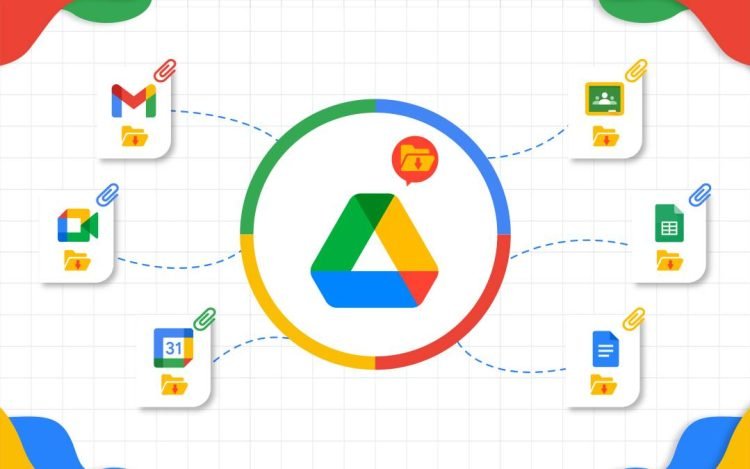
Google has once again surprised users with its latest update. Without much fanfare, the tech giant quietly introduced a long-awaited feature: automatic backup of local files from your phone to Google Drive.
For active smartphone users, especially Android users, this feature is arguably a game-changer. Previously, many users had to back up files manually or risk losing important documents if their device malfunctioned.
Now, with the latest update, Google Drive allows files downloaded on your phone to be automatically saved directly to the cloud.
A Simple, But Much-Needed Feature
Google Drive has long been known as a versatile cloud storage service. It can store everything from work documents and photos to backing up Android device data. However, there’s one noticeable drawback:
downloaded local files aren’t automatically backed up.
This means that if users forget to upload files to Drive, there’s still a risk of data loss—especially if their phone is damaged, lost, or needs to be reset.
With this update, Google has finally addressed this issue. The new feature allows downloaded documents to be automatically saved directly to Google Drive without any additional steps.
In its official release notes, Google states:
“With the new local file backup feature, you can automatically save downloaded documents to Google Drive, ensuring they’re safe and accessible from any device.”
Why Is This Feature Important?
While it may sound simple, this feature has a significant impact on daily use. Here are some reasons:
Reduces the risk of data loss: Important files no longer rely on your phone’s internal storage.
Cross-device access: Files can be accessed anytime from a laptop, tablet, or other device.
Saves time: No more manual uploads one by one.
More practical for mobile workers: Perfect for those who frequently download work documents on their phones.
In other words, this feature brings Google Drive closer to the “total automatic backup” concept that users have long hoped for.
Released Without a Big Highlight
Interestingly, this feature arrived without a major announcement from Google. There was no special event or major campaign as usual.
This has given rise to speculation. It could be that Google didn’t want to highlight the fact that this important feature wasn’t previously available. Or, alternatively, this feature is still part of a gradual rollout before a wider announcement.
However, what is clear is that users who have received this update can immediately experience its benefits.
Part of the Google Play Services Update
This feature arrived with the Google Play Services version 26.06 update (released February 16, 2026). In addition to local file backup, this update also brings a number of other improvements, including:
New developer features to support location- and context-based services
Improved visuals for earthquake alerts on mobile devices
Optimized device connectivity across various platforms (phone, TV, Wear OS). Improved system efficiency, including battery, storage, and network usage.
System updates to improve device stability and performance
Despite many technical improvements, the automatic local file backup feature remains the most noteworthy because it directly impacts general users.
Is it Available to All Users Yet?
As usual, Google updates are rolled out in stages. This means that not all users will receive this feature at the same time.
If you don’t see the automatic local file backup option yet, make sure the Google Drive app and Google Play Services are updated to the latest versions via the Google Play Store.
Google’s move to introduce this automatic local file backup feature may be considered late, but it remains very relevant. In today’s digital age, data security is a primary need, no longer just an added feature.
With this feature, users no longer need to worry about losing important files stored on their phones. Everything can be synced directly to the cloud automatically.
The question now is, is this the feature you’ve been waiting for? Or are you just realizing that Google Drive didn’t have it before?